Top Videos
Top Searches
Moods & Genres
Autumn
Chill
Commute
Energize
Feel-good
Focus
Gaming
Hanukkah
Party
Romance
Sad
Sleep
Summer
Winter
Workout
African
Arabic
Blues
Bollywood & Indian
Classical
Country and Americana
Dance and electronic
Decades
Family
Folk and acoustic
German hip-hop
German pop
Hip-hop
Indie and alternative
J-Pop
Jazz
K-Pop
Latin
Mandopop & Cantopop
Metal
Pop
R&B and soul
Reggae and caribbean
Rock
Schlager
Soundtracks and musicals
Search music and videos
How to create a Simple Dashboard Report in Microsoft Excel
18:56
|
2,015,929 views
|
Download MP3
Related Videos
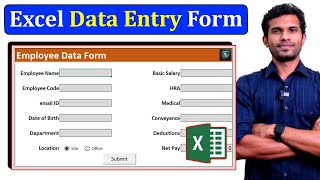
Automated Data Entry Form in Excel
How do you become BOLD? Ajay Anand, CEO of FazeThree, tells you how!
Live Bgm Performance @VIT Chennai By Ajay Anand | Kollywood Bgm | The White helmet Club Vit
Excel PivotTable for Beginners
Create a Simple Search Box in Excel using Conditional Formatting
#Video | मारी मलहवा चाप के | #Ajay Anand का हिट गाना | Mari Malhawa Chap Ke | #Bhojpuri Song 2025
VLOOKUP formula | Excel Beginners Tutorial
@ajaymusicoff - Sanjaari (Official music video) | Dir. by Sudharshan Appu | Indie Isai
Inside ey.ai Center For Reimagination: Ajay Anand, EY Global Vice Chair, EY GDS
Ajay Anand & Lalitha || Reception Ceremony || Kankatala Creative Hub
EY Just Built India's Most Advanced AI Center | Ft. EY Global Vice Chairman | What's The Point
Excel formulas for Beginners
अजय आनंद का नया सांग || लगा लेहब फ़ासी सुहाग वाली सेग पर ||
गुरु की कृपा।। भागवत कथा प्रवचन
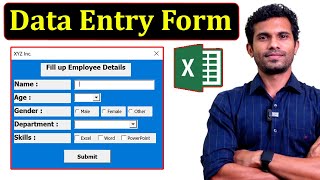
Automated Data Entry Form in Excel | VBA Tutorial
Power Query Tips and Tricks - Excel Tutorial for Beginners
Flash Fill in Excel | Split, Combine & Format Data Instantly
होली में चोली फार के जा !! Ajay Anand holi song!! Holi me choli far ke ja 2020 superhit song
How to create a Data Entry Form in Microsoft Access