Top Videos
Top Searches
Moods & Genres
Autumn
Chill
Commute
Energize
Feel-good
Focus
Gaming
Hanukkah
Party
Romance
Sad
Sleep
Summer
Winter
Workout
African
Arabic
Blues
Bollywood & Indian
Classical
Country and Americana
Dance and electronic
Decades
Family
Folk and acoustic
German hip-hop
German pop
Hip-hop
Indie and alternative
J-Pop
Jazz
K-Pop
Latin
Mandopop & Cantopop
Metal
Pop
R&B and soul
Reggae and caribbean
Rock
Schlager
Soundtracks and musicals
Search music and videos
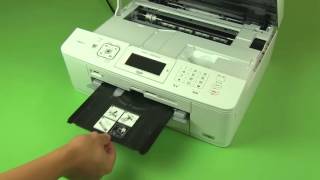
How do I clear the message "Jam Rear"? [Brother Global Support]
01:17
|
722,612 views
|
Download MP3
Related Videos
Brother Global Support YouTube Channel [Brother Global Support]
Set up your Brother machine on a wireless network [Brother Global Support]
Unpack [Brother Global Support]
Paper Jam, Rear [Brother Global Support]
faq_1g04 [Brother Global Support]
Set up your Brother machine on a wireless network [Brother Global Support]
Printer Jam or Paper Jam [Brother Global Support]
Copy on Both Sides of the Paper (2-sided Copy) [Brother Global Support]
How to replace the toner cartridge [Brother Global Support]
Update the Driver or Firmware for your Brother machine [Brother Global Support]
faq000105_018_1 [Brother Global Support]
Connect a machine to a wireless network using the Brother Mobile Connect app[Brother Global Support]
Close the Jam clear Cover [Brother Global Support]
Paper is Jammed in the Back of the Machine [Brother Global Support]
Reset the network settings to the factory default [Brother Global Support]
Clean the paper pick-up roller - 01 [Brother Global Support]
Unpack [Brother Global Support]
Wireless Settings [Brother Global Support]
Update the Driver or Firmware for your Brother machine [Brother Global Support]
Wireless Setup without having a CD drive [Brother Global Support]