Top Videos
Top Searches
Moods & Genres
Autumn
Chill
Commute
Energize
Feel-good
Focus
Gaming
Hanukkah
Party
Romance
Sad
Sleep
Summer
Winter
Workout
African
Arabic
Blues
Bollywood & Indian
Classical
Country and Americana
Dance and electronic
Decades
Family
Folk and acoustic
German hip-hop
German pop
Hip-hop
Indie and alternative
J-Pop
Jazz
K-Pop
Latin
Mandopop & Cantopop
Metal
Pop
R&B and soul
Reggae and caribbean
Rock
Schlager
Soundtracks and musicals
Search music and videos
Hide Apps Without Uninstalling Them | Simple Launcher Tutorial
02:56
|
3 views
|
Download MP3
Related Videos
Change Your Pinned App Style (36 Styles!) | Simple Minimalist Launcher
How to Build Your Own Custom Widget | Simple Minimalist Launcher Tutorial
How to Add, Reorder & Style Pinned Apps | Simple Minimalist Launcher Tutorial
Simple Launcher Search: Every Setting Explained (Full Tutorial)
Dynamic Island on Android: Full Setup Guide | Simple Minimalist Launcher
How to Build Your Own Android Home Screen Layout | Simple Minimalist Launcher Tutorial
Stop Doomscrolling: App Timers Full Tutorial : Simple Minimalist Launcher, Schedules, Time Limits
How to Rename Any App on Android | Simple Minimalist Launcher Tutorial
How to Use Usage Stats: Screen Time, Trends & Per-App Insights | Simple Minimalist Launcher Tutorial
Introducing Simple Minimalist Launcher
Organize Your Android Apps with Folders | Minimalist Launcher Tutorial
How to Set a Wallpaper with Blur & Opacity | Simple Minimalist Launcher Tutorial
Gemini Nano on Android, Fully Offline | Nano Prompt Ground
How to Use the Timeline (Your Whole Day on One Line) | Simple Minimalist Launcher Tutorial
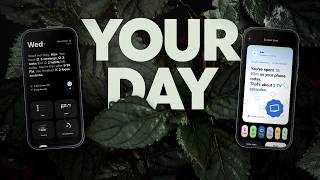
Focus Tab Summary: Add Your Name, Read Your Day & Share It | Simple Minimalist Launcher Tutorial
How to Change Your Launcher Font (and Import Your Own .TTF) | Simple Minimalist Launcher Tutorial
Mindful Pause: Add a Pause Before Distracting Apps | Simple Minimalist Launcher
How to Add & Manage App Shortcuts | Simple Minimalist Launcher Tutorial
Customise Gestures in Simple Minimalist Launcher | Swipe, Double Tap & Long Press (Android)